For teachers who are scheduling an exam date and simultaneously need to reserve a room for that date, there is an application that combines these two steps into one:
In the “Vytvoření termínu s rezervací” application, the user first reserves the selected room for the required date. By clicking the “Rezervovat pro zkoušku” button, the reservation is created, and the user is simultaneously redirected to a form where they can specify further details of the exam date.
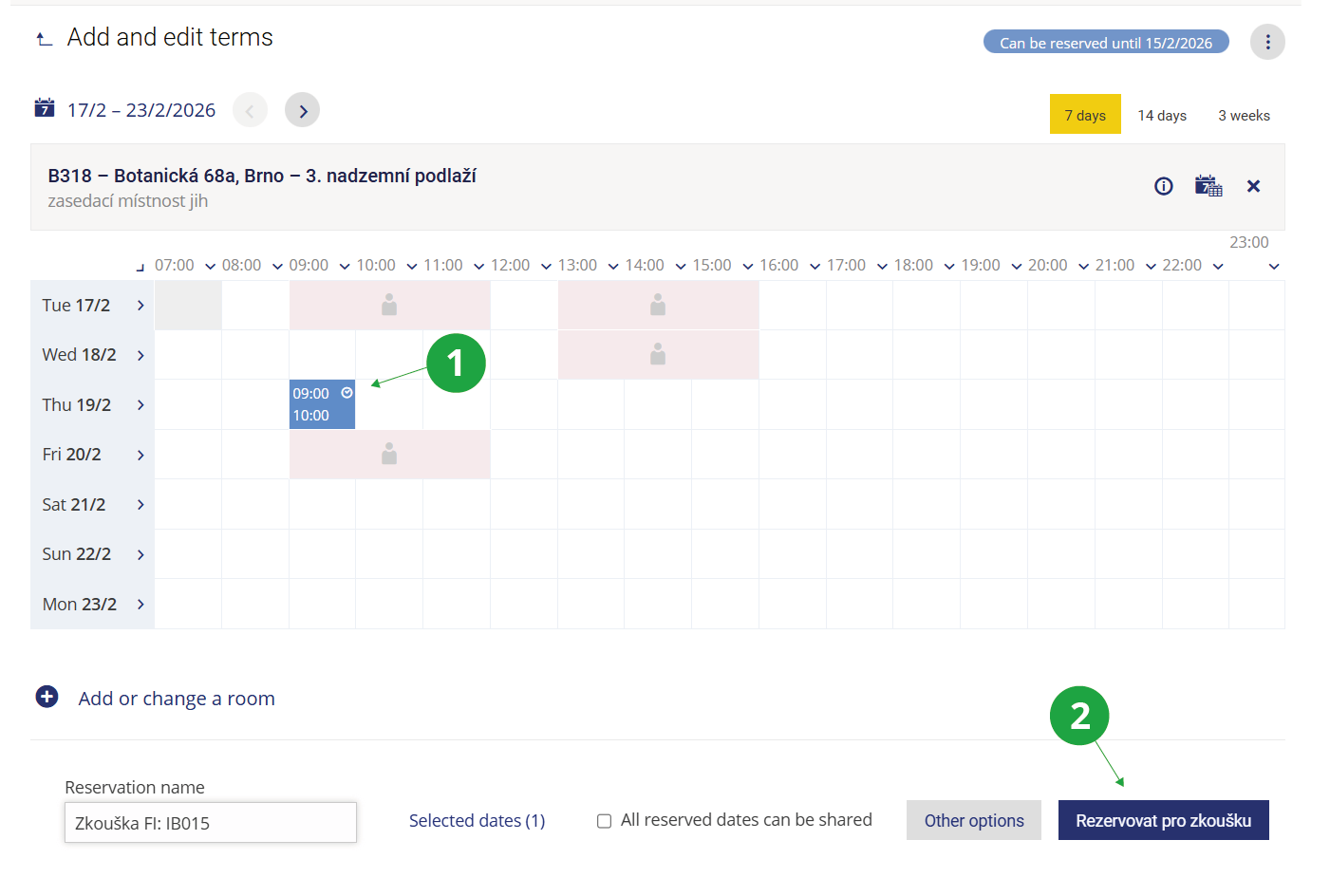
1 The teacher first selects the required time slot in the chosen room.
2 Clicking “Rezervovat pro zkoušku” creates the reservation and allows the teacher to specify further details of the exam.
The “Vytvoření termínu s rezervací” application is particularly useful for teachers and other staff members scheduling exam dates for written exams, for example. The room reserved during the creation of the exam date is always displayed when editing the date. This functionality allows users to work seamlessly within the Information System, even though scheduling an exam date and reserving a room are managed by two completely separate applications.