Information system Supervisor Select group email recipients Select studies
By checking one or more options and clicking on "Select studies", you will see the students of the corresponding study type that you lead or oppose and who are actively studying at the beginning of the selected term. To send a letter, continue by selecting "Send a group email to the selected students".
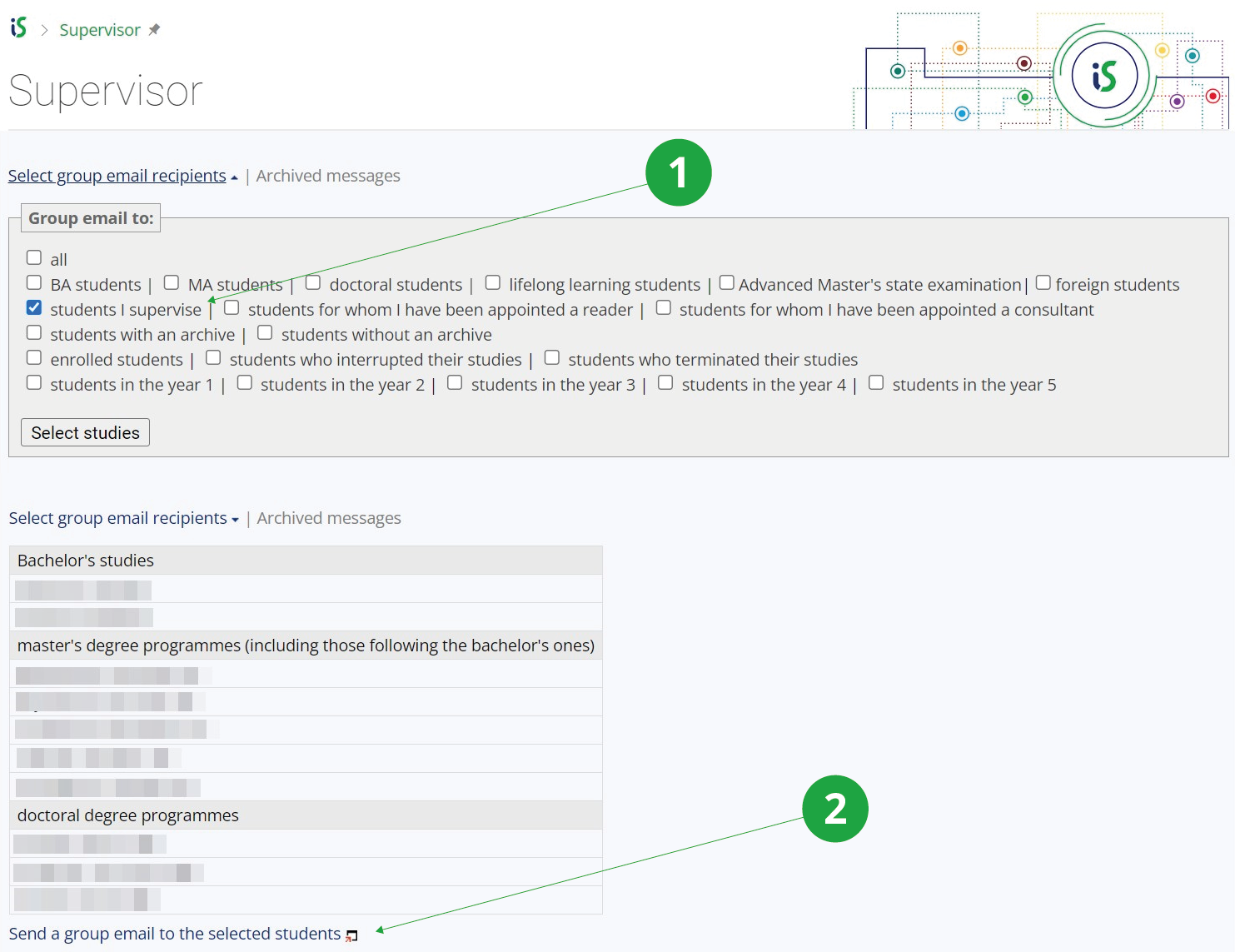
1 The selected variant of the type of studies to which the group email is to be sent.
2 Click on the link to enter the application to send the group email.
Information system Supervisor Archived messages
More about this application in Help.