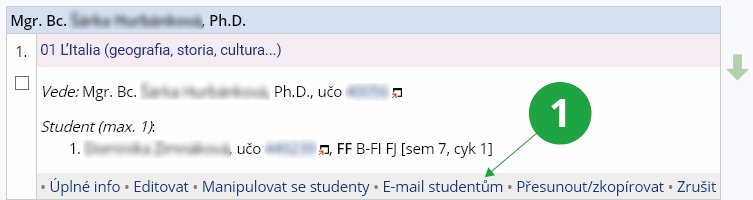
1 Link to send email.
The Information system Office for Studies Batch selection
Batch selection selects students who have teacher approval or are enrolled in a topic where approval is not required.
Another option is to use the filter in the Teacher's Notebook (the "change filter" link in the header of the page) and only send to students who are:
- enrolled in the topics of course topic list to be selected ,
- enrolled in any topic to be selected of the course-unrelated topic list.