In the application
Information system Teacher [course selection] (Attendance) Attendance: records
it is possible to enter individual attendance to students who are late for class and did not beep their ISIC card at the beginning.
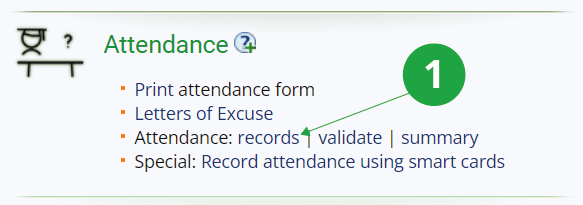
1 In the attendance application, it is possible to edit student attendance records.
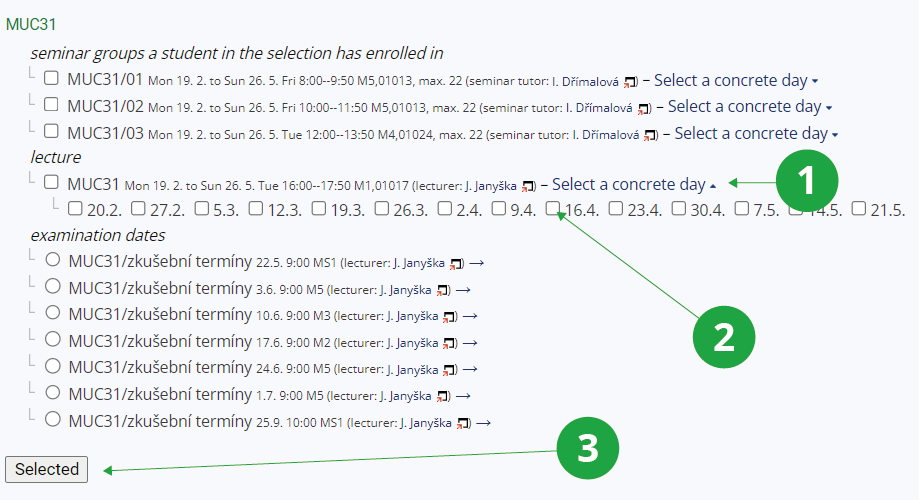
1 The "Select a concrete day" option displays the individual days of the lessons according to the timetable.
2 It is necessary to select a specific day for which the teacher wants to edit attendance.
3 Then confirm the selection by clicking on the "Selected" button.
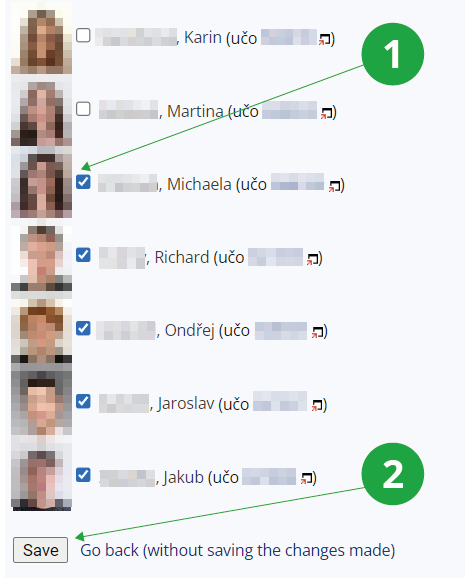
1 By checking the box, the teacher indicates that the student was present in the lesson.
2 The edited attendance record needs to be saved.