I need to perform a more complex operation with notebooks than simple addition – customized addition
Customized addition is an operation that creates a new notebook that contains the result of the operation defined by the bc script.
When you enter the application, you can see all the available notebooks that can be used to create the resulting notebook. You can only use notebooks that have a score in a form of *34 in at least one line. To select only students who have a non-blank score in a given notebook included in the calculation, mark the notebook "only those with a score". Thus, only students with a score in the notebook marked as such will be included in the resulting notebook. To select students in a particular notebook, mark the notebook with the "only students in selected notebooks" flag. The resulting notebook will include students who have scores in at least one of the notebooks so marked.
Unlike simple summarization, it is possible to perform more complex calculations using a bc script.
Example of use: you want to determine the result of condition met from several tests, each of which has a different contribution to the grade. You have two tests, each of which can score a maximum of 100 points. Their results are recorded in notebooks called test1 and test2. The first test has a 25% share of the grade, the second test has a 75% share and the student must achieve at least an 80% pass rate. In the "Enter a custom bc script" field, enter the command
print "*"; 0.25*test1 + 0.75*test2;
if (0.25*test1 + 0.75*test2 >= 80) print "@Z" else print "@N"
and run the script.
The result notebook will display the corresponding number of points in the form *12.3 that the student has obtained in both tests and at the same time it will determine the grade (Z or N), which you can then use the "evaluation transfer" to write to the students.
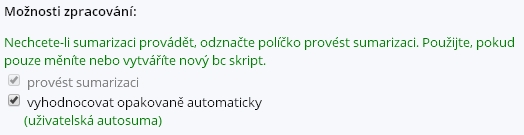
If you want the resulting customized addition notebook to be updated periodically (typically when variables in source notebooks are changed), it is possible to check the "vyhodnocovat opakovaně automaticky" option when creating it (i.e. evaluate repeatedly automatically in Czech). The resulting notebook is then recalculated regularly every hour.
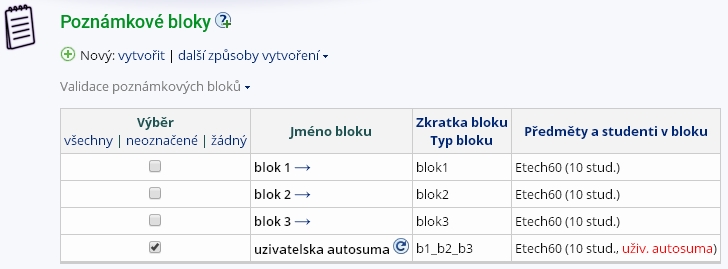
If you want to recalculate the customized addition notebook immediately, select the rotary arrow icon after the notebook name.
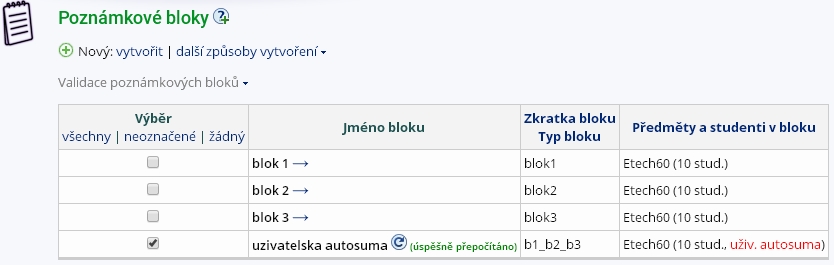
An immediate recalculation will occur and you will be informed by a "re-calculated successfully" message.