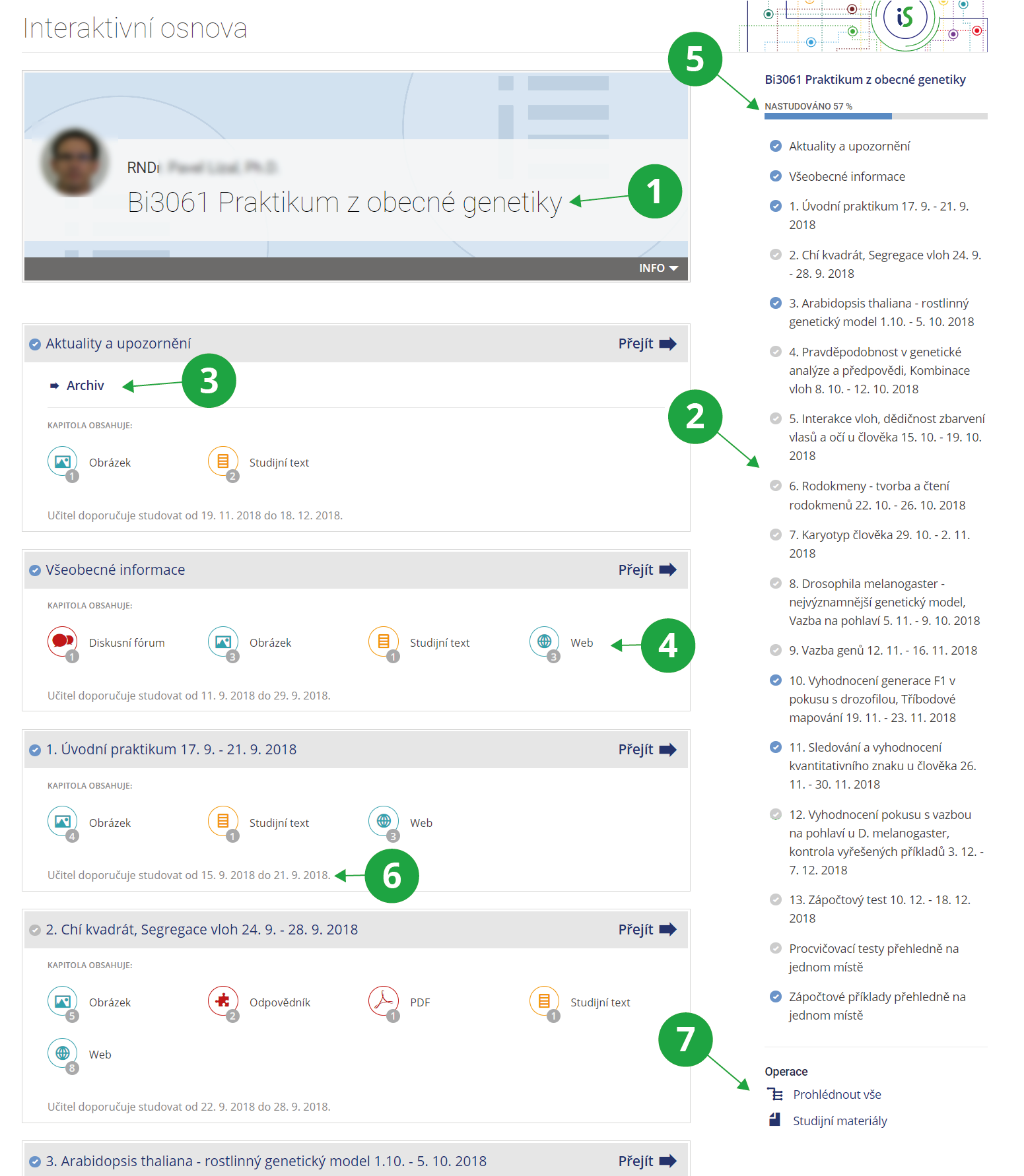
1 The name of the interactive syllabi.
2 The interactive syllabi navigatioin and indication that the student has (un)read the chapter.
3 List of activities within the chapter.
4 Student progress in the interactive syllabi.
5 When the teacher recommends studying.
6 Menu of the operations with interactive syllabi.
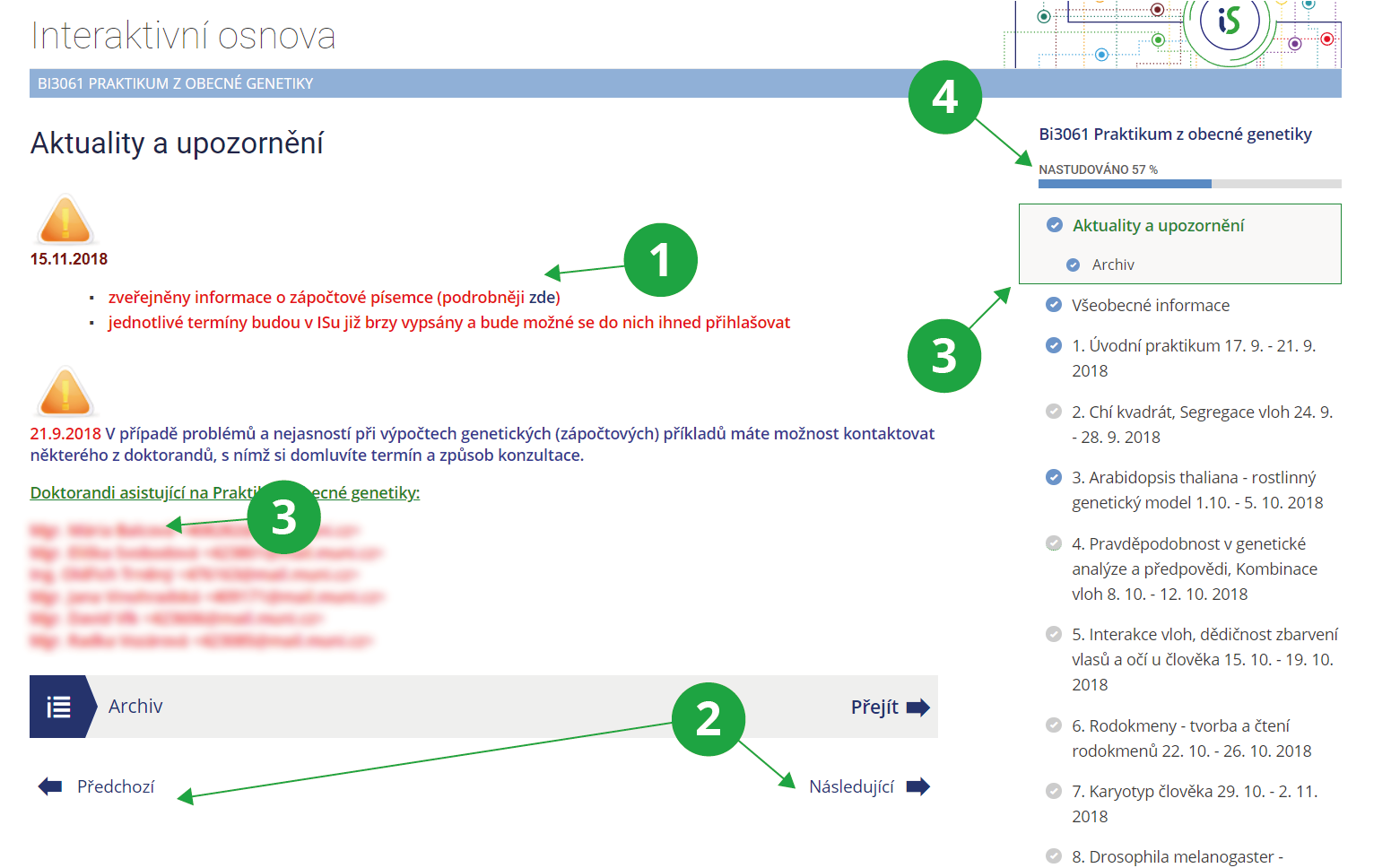
1 The content and activities in the studied chapter.
2 The interactive syllabi navigation between chapters.
3 The interactive syllabi navigation.
4 Student progress in the interactive syllabi.