Using the Difficulty level application, you can get a summary of the answers to each question in the ROPOT and see which questions are most difficult for students. You can find the application via
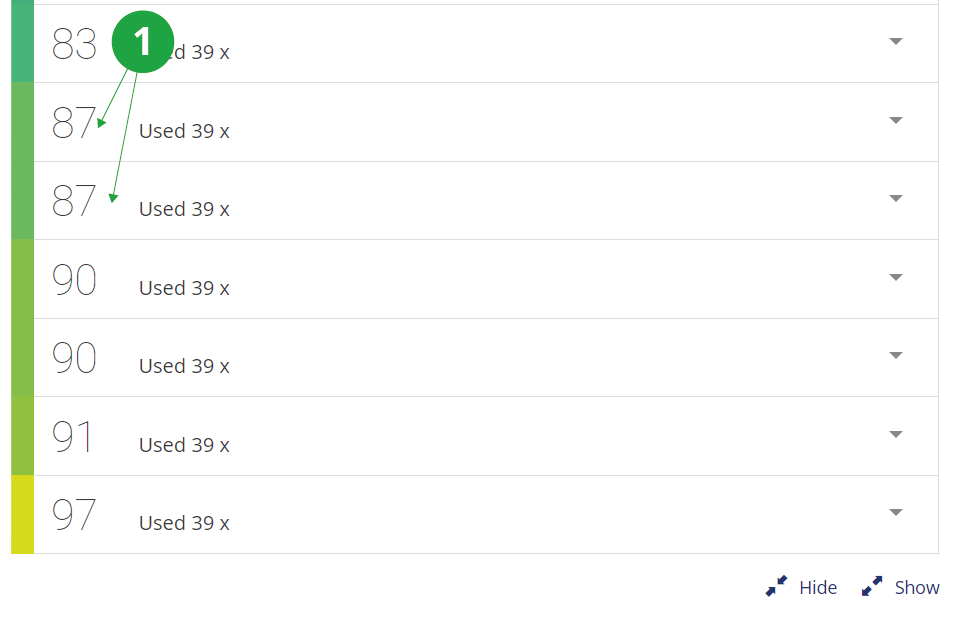
1 Each question has a difficulty coefficient.
A table will be displayed showing the so-called difficulty coefficient. The difficulty factor is the ratio of correct answers to all answers (including unanswered questions). The lower the number, the more students made mistakes.
You can also sort the questions by how they are placed in the set. The calculation of the coefficient may take into account the scoring of the ROPOT. For example, in the case of tests with negative scores for wrong answers, multiple-choice questions will be more comparable.
You can also view the identity of the respondents and see how the selected students answered each question.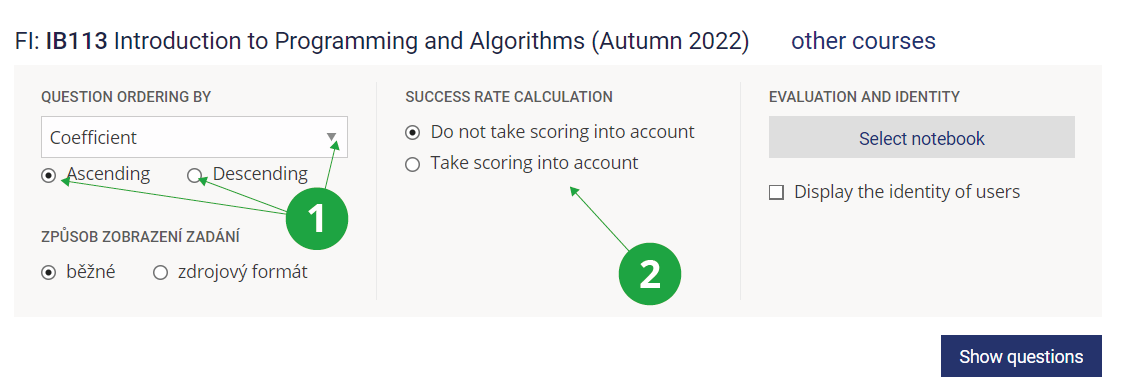
1 Set the order of the questions in Difficulty level.
2 Change if you need to take the ROPOT scoring into account when calculating the difficulty factor.
At first glance, you can see the distribution of students' answers to the question. The prevalence of wrong answers may be an impulse to revise the wording of the question, or it may suggest that the material needs to be discussed more with students.
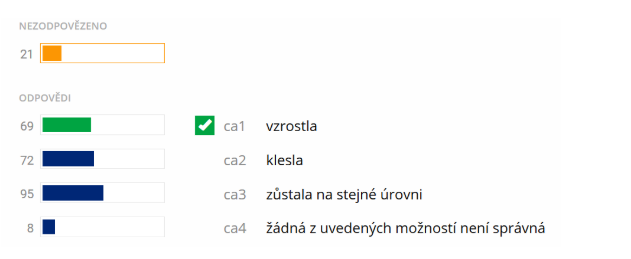
1 Graph of the distribution of student responses.
If the wrong option hasn't fooled anyone, perhaps it is unnecessary in the question or another one can be devised. This is a so-called non-functional distractor.
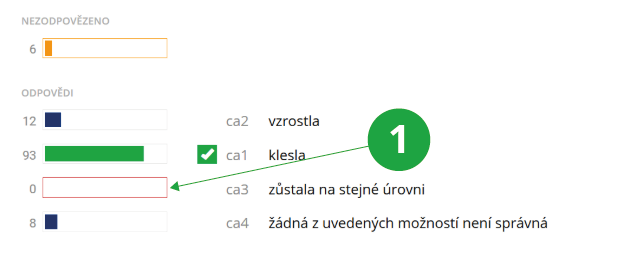
1 Non-functioning distractors are highlighted in the Difficulty level application.