The keys (passwords) for the ROPOT are used to restrict access to the ROPOTs. If a key is required, the ROPOT is closed even for persons who have the right to work with the ROPOT in the given time interval.
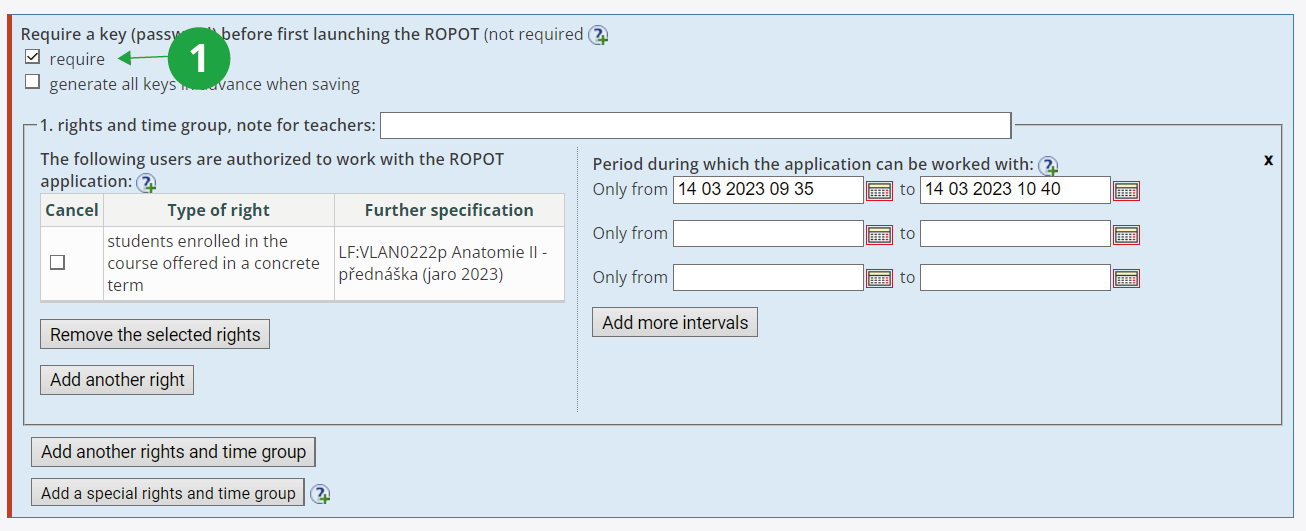
1 Option "Require a key (password) before first launching the ROPOT".
Universal key and individual keys
Each group of rights and times has its own key generated. Furthermore, one universal key is created. This key unlocks the ROPOT for all those who have the right to work with the ROPOT. A second possible universal key unlocks the ROPOT for all special rights and times groups. Individual keys will always unlock the ROPOT for a given rights and times group.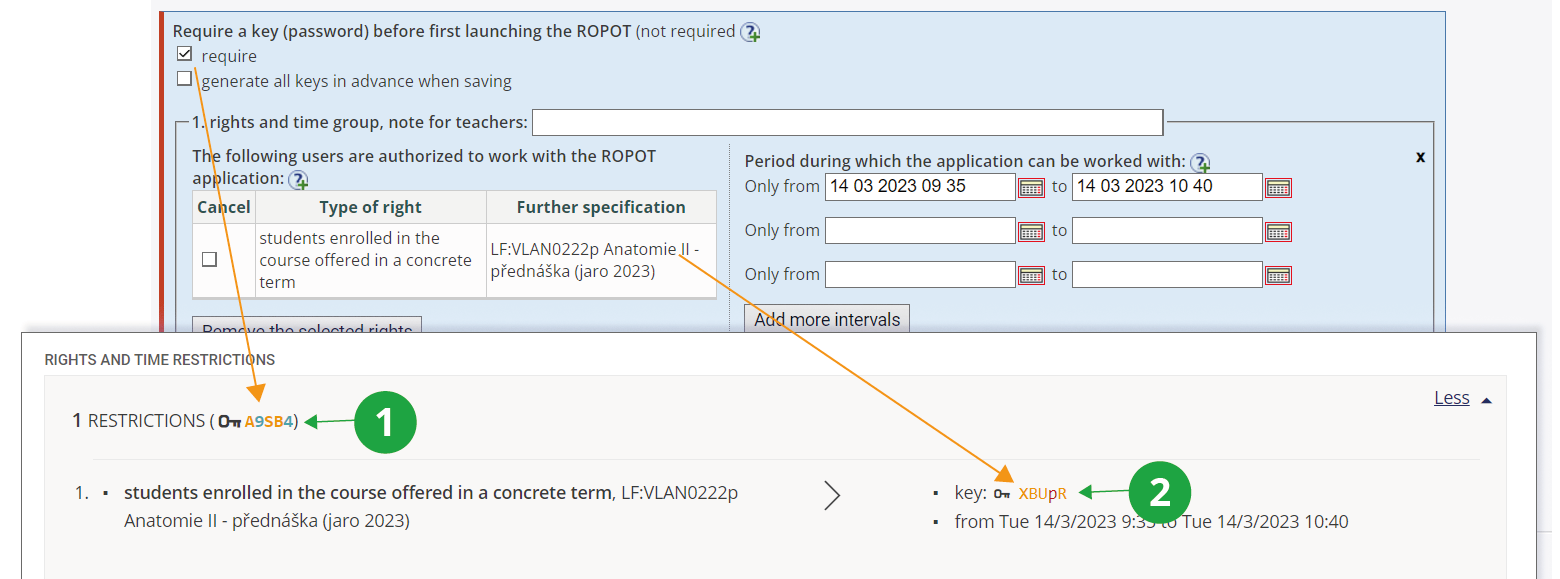
1 A universal key that unlocks the ROPOT for anyone who has the right to launch it.
2 The key unlocks the ROPOT for anyone who belongs into this rights and times group.
Universal and individual keys are available to instructors on the "Fill in the ROPOT form" page in the "Rights and Time Restrictions" section:
The Information system Teacher [course selection] (ROPOTs and
Quizzes) Work with ROPOT Fill in the ROPOT form [selected ROPOT] Rights and Time Restrictions section
Tip: Can I set the key freely?No, it is a generated password. However, the teacher has the option to have a new key (or keys)
generated each time the ROPOT description is saved. Note that the entire key set is always generated.
Where do students insert the keys?
Students have a box to insert a key next to the "Launch the new ROPOT application" button.
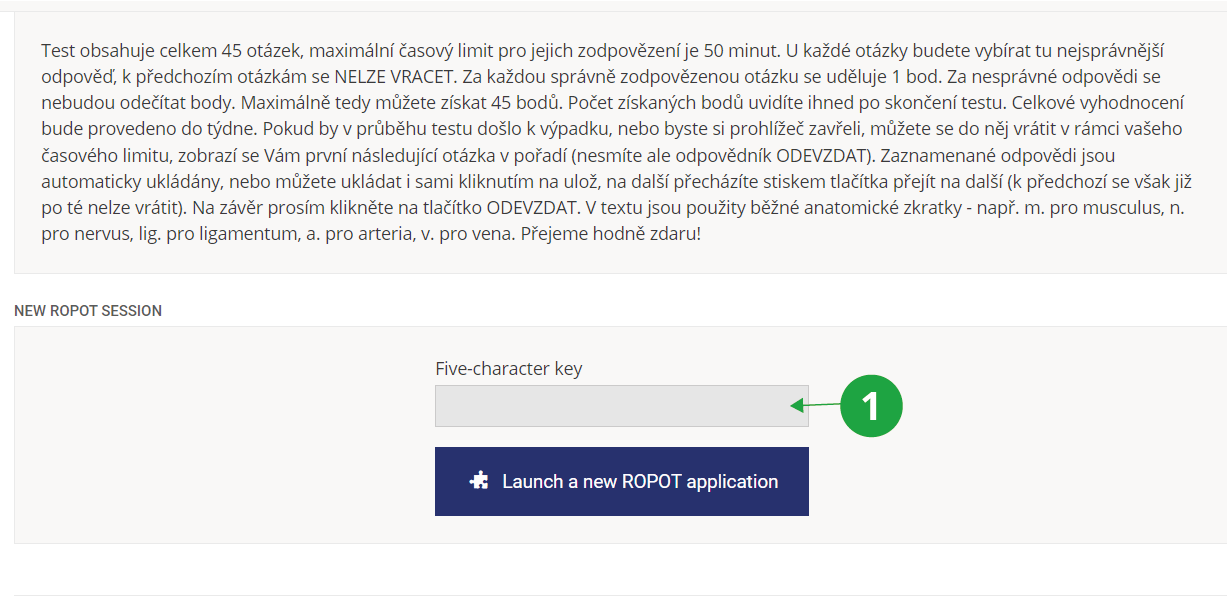
1 Once the student has inserted the key, they can start the ROPOT.
Tip: During the time students are answering, I have generated the key set again. Is it a problem?If the key set is generated again, then nothing changes for students
who have already entered the ROPOT with the original key. Only
students who are just entering the ROPOT will be entering a new key.