Some similar documents do not provide information about the new match, only recurring similar passages of the displayed source documents. The system skips these documents. In practice, for example, these are more extensive citations of a certain law in another hundred final theses and documents on the Internet. Therefore, users will now not see all documents in which copyright law paragraphs are quoted, but will see only one of them. The one that has the most other similarities with the selected document.
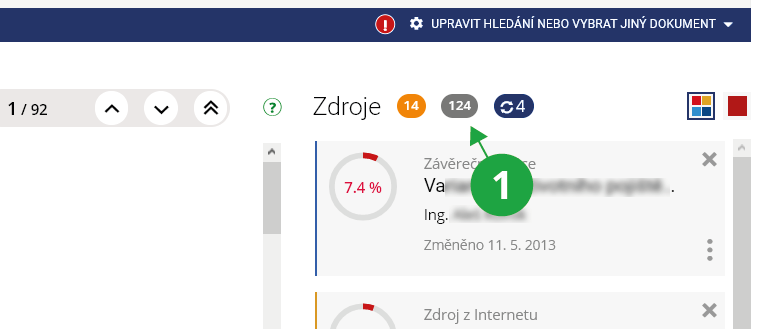
1 The grey oval indicates the number of skipped documents; these skipped documents are not displayed by default in the application. To display all skipped documents, you can enable the option “do not skip duplicate documents” in the Settings.
First of all, you need to see if you just see another document that contains the similarity. For example, whether the system did not mark an equal collection of laws with the text of the law, and not a newspaper article commenting on the same article.
Due to the speed of processing, seminar papers in submission offices and long answers in ROPOTs are compared primarily only against the shared database of all source documents. Thus, there is a difference compared to the search for similarities in final theses, where the system submits each final thesis to a direct examination of similarities to the Internet.
But there is no need to worry, the database is really large. In most cases, therefore, the system already "knows" enough resources from which students usually draw, as well as enough resources from which students usually describe.