Authors can verify that their text has not been used in another author's work.
For the documents found to be similar, IS AMBIS displays the similarity level in percentages. Each document also provides a graphical interpretation of similarities in the form of a linear or 2D map:
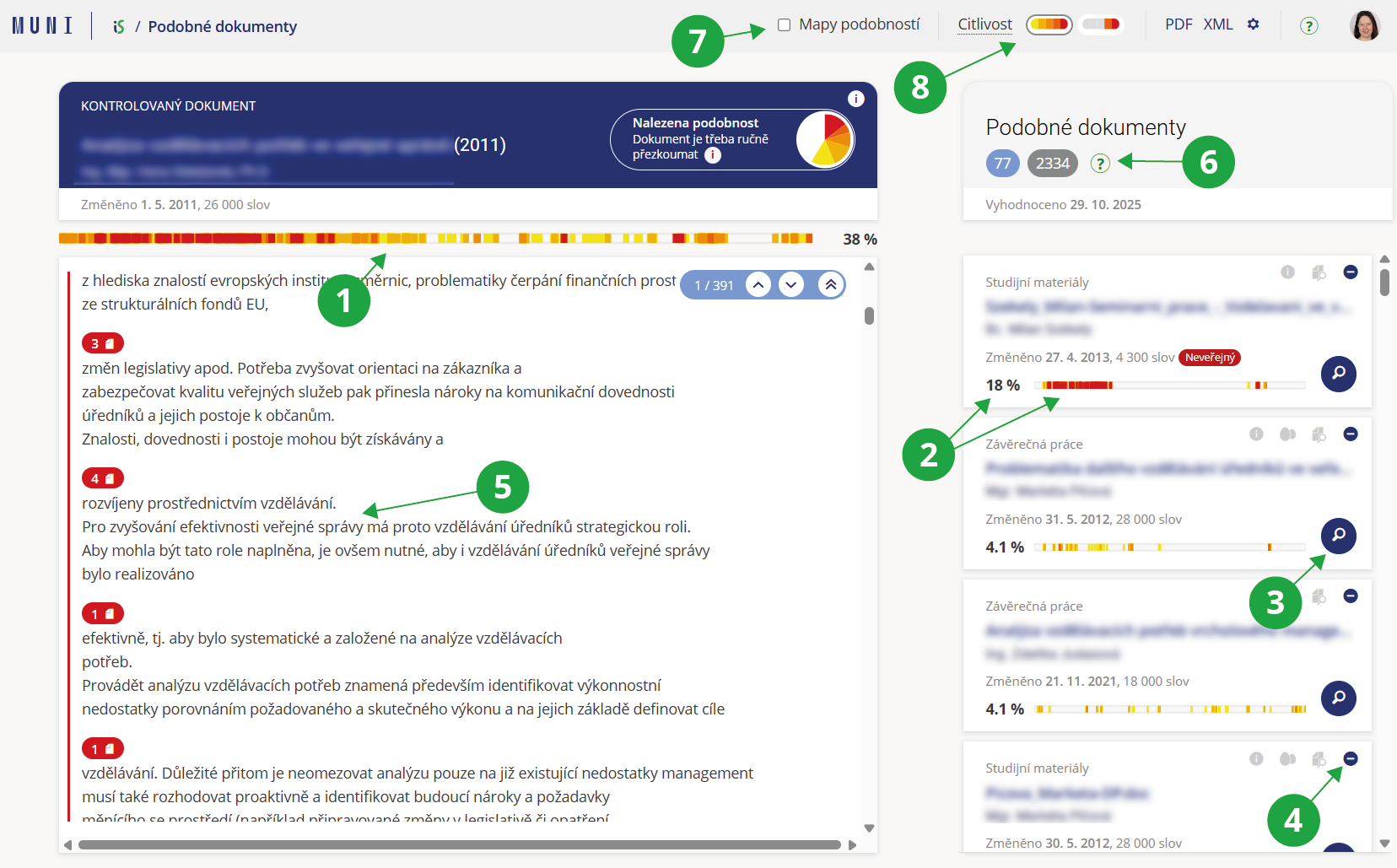
1 Interactive linear similarity map with clickable areas that highlight the corresponding section in the document.
2 List of source documents that show similarity to the document. Each entry displays the similarity percentage and a linear similarity map.
3 The magnifying glass button allows detailed comparison of the selected document with the current document.
4 Using the “minus” button, you can exclude a source document from the similarity analysis if it is not relevant (for example, if the student is supposed to use it and has cited it correctly).
5 Clicking a selected passage in the text shows the documents with which the text is similar. The passage and the selected documents are highlighted.
6 A clear overview of the number of displayed, skipped, and excluded documents, including explanations.
7 Switch to the 2D similarity map.
8 Option to change the sensitivity level from normal to sensitive.
The user can smoothly switch between detected similarities and detailed comparison of two documents using the magnifying glass button on the selected document. It is possible to immediately view any similar document found without losing context of the original document. Comparison view of two documents:
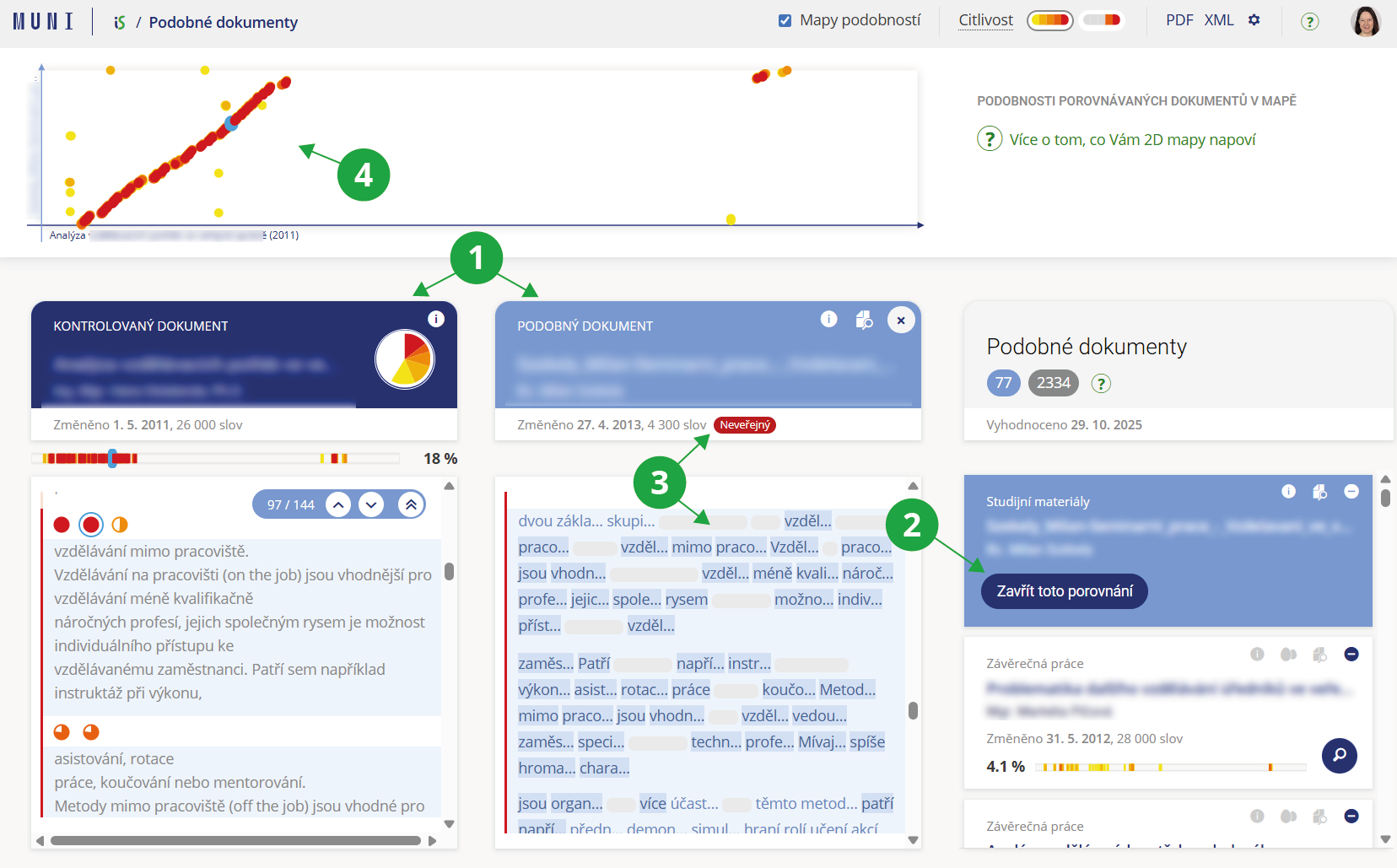
1 The checked document and the similar document are displayed side by side.
2 Return to the list of similar documents.
3 In the case of non-public documents, only the shared sections are displayed.
4 The user can switch to the 2D similarity map instead of the linear one.