If you have a document in the form from which a text version can be created (it is not a picture, for example), insert it anywhere in the IS AMBIS (eg in the Provider, in the Study Materials of the subject or in My website) and IS AMBIS in the similarity search mechanism includes.
Then use the “Find similar documents” operation (the icon with two eggs). For more details, see the question How are text similarities (suspected plagiarism) revealed in IS AMBIS?
By default, documents uploaded by the same uploader are not compared. Therefore, you need to click the gear icon in the top toolbar to open Settings, and then select the option “include documents of the same uploader” and display them:
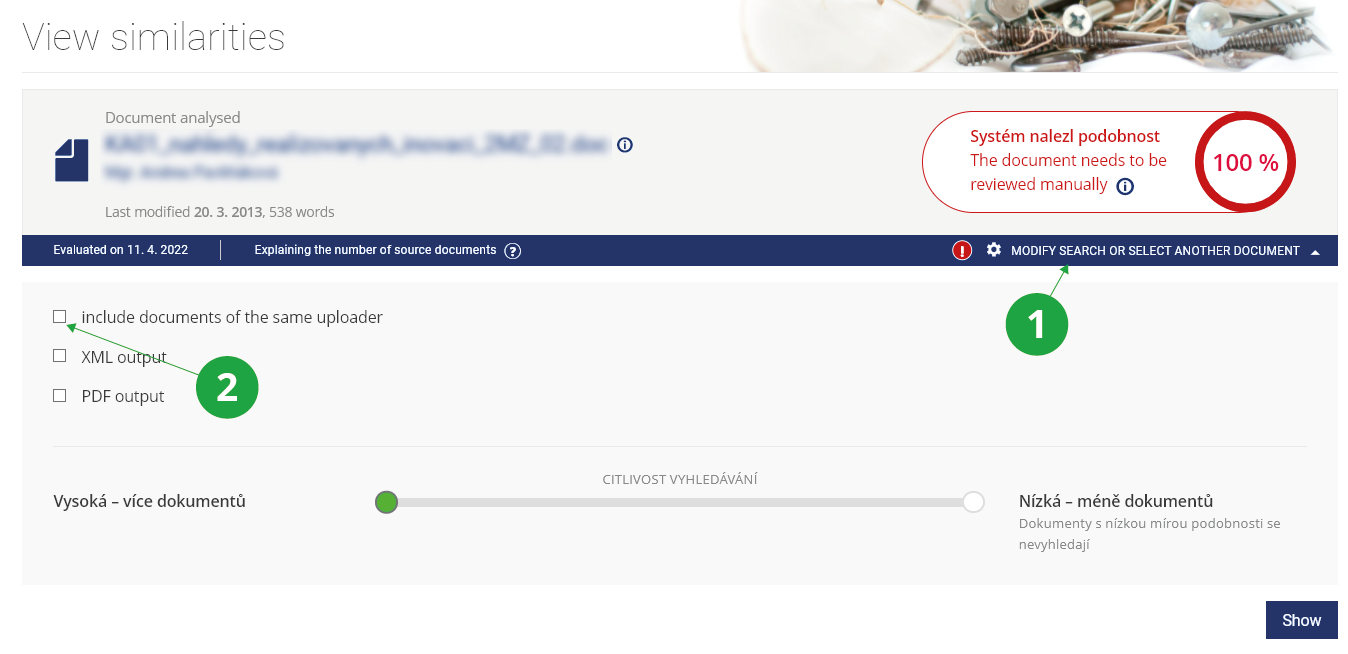
1 Click here to view the settings of other search parameters.
2 To compare even between your own documents, check the "include documents of the same uploader" option.