Provided you wish to notify your students of organization of your course, you might use the introductory text. Shown at the beginning of the interactive syllaus and contains some introductory and other important information pertinent to your course such as teachers' e-mail addresses, their office hours, completion pre-requisites, etc. You can fill in the introductory text in:
The Information System Teacher [select a course] Interactive syllabi Edit Edit (pencil icon at the top right of the banner with the interactive syllabus name)
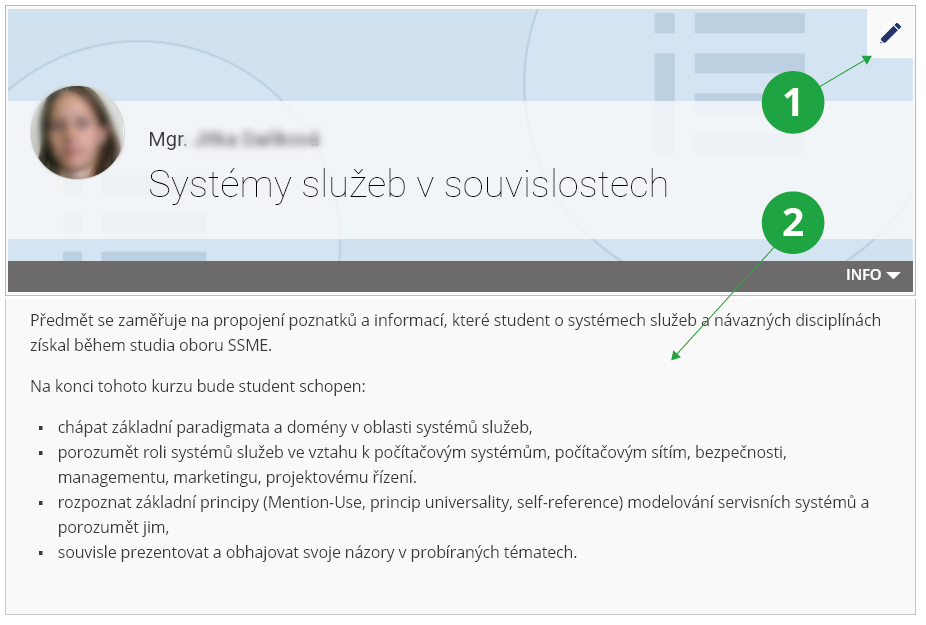
1 After reaching the right corner of the banner with the interactive syllabus name, you will be able to edit the basic information about the sylabus: the name, the opening image, the person displayed and the introductory text.
2 View the introductory text.
The ideal parameters of your own image are:
- minimum size 1200x450 px, but for best results 1600x620 px, larger is not recommended;
- the ideal format is JPG;
- the ideal file size is 200 KB, then it will load quickly, the maximum file size is 1 MB.