To create a syllabus, use
The Information system Teacher [course] Interactive syllabi Create a new interactive syllabus
You can then set who the syllabus is intended for, its title and how many main chapters you wish to divide the syllabus into. It is also possible to set a bulk timetable for unpacking individual chapters and publishing them by clicking on "Fill in with a timetable". Once the syllabus has been created, you can start adding content and editing parts of it.
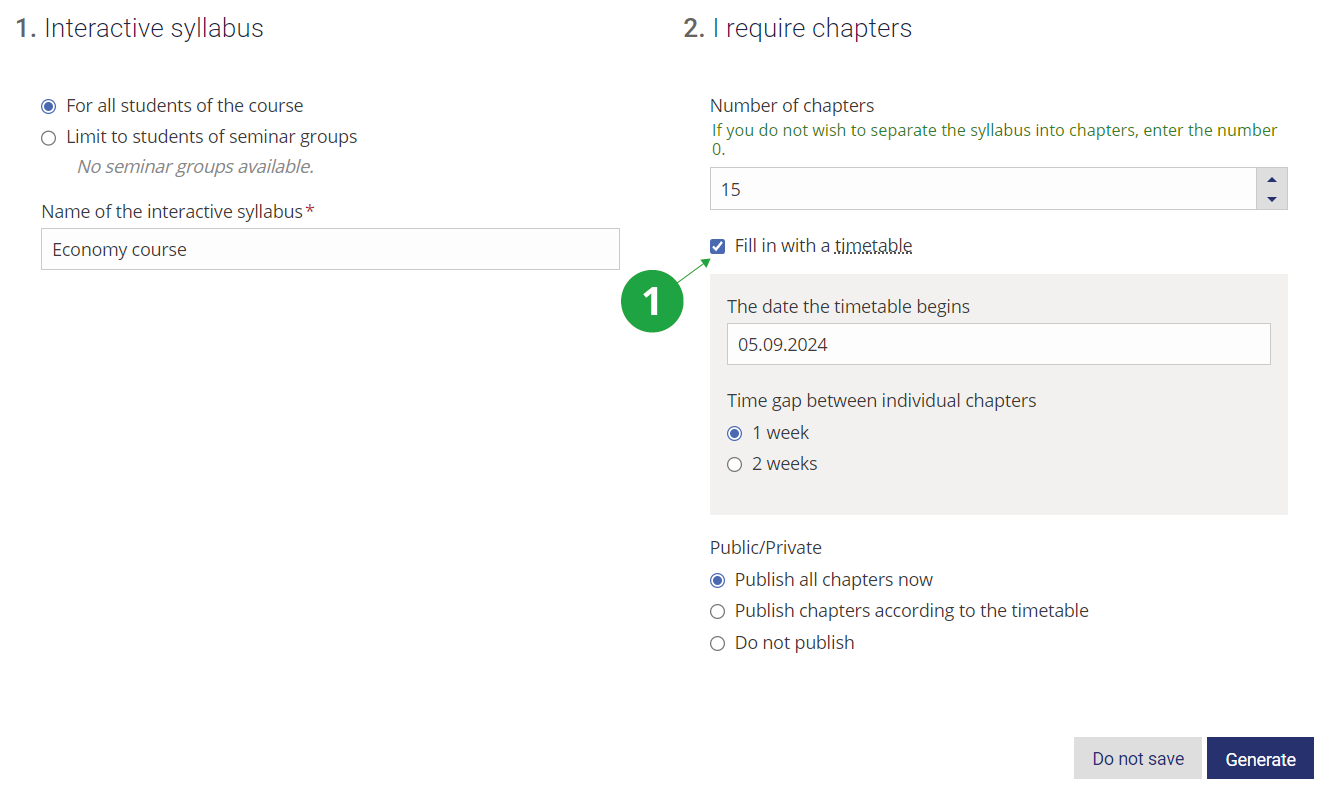
1 Selecting "Fill in with a timetable" when setting up the curriculum.