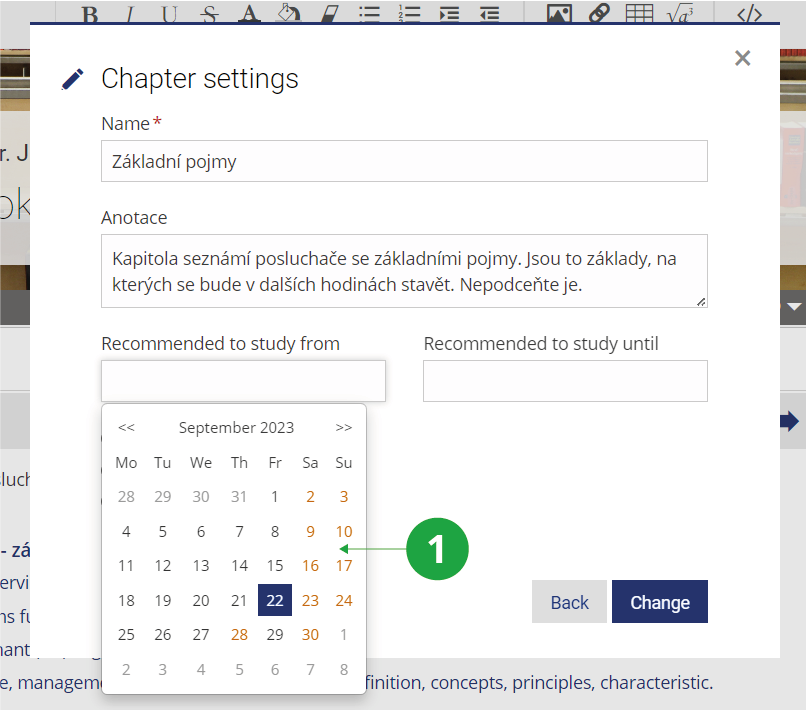
It is advisable to always get the application to display sub-syllabi during the weeks (periods) they relate to. To specify when a certain sub-syllabus should be made public, please click on 'Specify when to make public'. You might also want to use the option of Batch mode to do so for several chapters at a time.
1 Setting the recommended interval for chapter study.
Editing the interactive syllabus is called WYSIWYG (acronym for the English sentence "What you see is what you get"). If you use prepared
elements and do not embed advanced scripts in HTML code, for example, you will see the syllabus content as students will see it.
If you want to test how the outline looks in real view without editing elements during editing, use the “Normal View” option in the outline operations menu.
Use the “View All” option (in the normal view) to view the outline of the interactive syllabus, including the locked chapters (eg to check the outline of the interactive syllabus
after editing). However, such an outline can only be seen by a person with sufficient rights, not by the student.
To print the interactive syllabus, select “View All” (in normal view) and then print the outline using the “Print” option in your browser.